
Hotels & Hospitality
7 strategies to improve the security of mobile banking apps


Banking has never been more convenient or accessible than it is in the digital age. With the growth of mobile banking, you can now manage your finances, conduct transactions, and pay bills with a few touches on your smartphone. The Mobile Banking App enhances this experience by combining the best of convenience with advanced capabilities such as frictionless fund transfers, block/unblock a debit card, and real-time account changes, all delivered through an intuitive interface.
However, as we all know, with great ease comes an even greater responsibility: keeping your finances safe. Fraudsters are continually looking for ways to damage financial security. They are continually evolving their techniques, putting new strategies to the test, and attacking people with bogus programs, phishing websites, and insecure networks. As a result, understanding how to use your Mobile Banking app safely becomes critical.
Effective strategies to improve mobile banking security
Here are seven easy but effective techniques to improve mobile banking security.
Enable multi-factor authentication
Security starts with the access gate, which in this case is account login. Gone are the days when a single password was sufficient to protect the money. Multi-factor authentication has emerged as the new standard for solid mobile banking security.
A strong login shield combined with an OTP or trusted app-based authenticator code creates a formidable defense mechanism. It is fast, secure, and adds a new layer of security to your everyday banking.
Tip: Always ensure that your account PIN or password is unique and known only to you.
Choose a randomly generated MPIN, memorize it, and change it on a regular basis.
Avoid using MPINs that are made up of easily guessable information, such as your birthdate, graduation year, or vehicle number, because hostile actors can find this information on social media.
Be wary of and protect against SIM swap fraud
Be aware of these potential indicators of SIM swap fraud:
• A sudden loss of cellular service.
• Unusual account alerts.
• Unable to access your financial applications.
Take urgent action.
• Contact your cellphone provider right once to report the issue and restore service/access to your number.
• Contact your bank to temporarily lock transactions in your account and monitor for unauthorized activity.
• Change the passwords for important accounts (email, banking) as soon as you gain access.
Keep the app and device software updated
Consider software updates to be armor upgrades, with each one patching holes and strengthening your device’s defenses. Outdated applications and operating systems provide easy entry points for attackers.
Always update your Mobile Banking app and phone’s operating system (Android or iOS) as soon as new versions become available. These upgrades frequently include major security fixes that address known vulnerabilities.
Avoid using modified or rooted devices, as they disable built-in security features. To keep your data safe, make sure to update the app on a frequent basis, as new features and security updates are added.
Use a secure connection. Avoid using public Wi-Fi for important transactions
The mobile network is critical to the security of mobile banking. Public Wi-Fi networks, such as those in airports or cafés, are frequently insecure, exposing your data to hackers lurking on the network.
To be safe, always conduct banking transactions using mobile data or a secure home Wi-Fi network. Follow safe network practices, and you’ll be one step closer to mobile banking security.
Monitor transactions and enable alerts
Regular monitoring of bank account transactions is essential. Staying updated about financial activities enables you to respond swiftly to questionable activity.
Enable quick SMS, email, or push notifications for each transaction. These messages function as a personal security radar, keeping users informed in real time. Review your bank account transaction history on a regular basis to look for anything out of the ordinary.
The Mobile Banking App allows you to monitor your debit card and instantly restrict or unblock it in the event of suspected misuse. This provides you complete control over the security of your bank account, even if you are on the move.
It’s also a good idea to log out at the end of each session rather than simply closing the app. It’s a simple action that provides a significant layer of security.
Keep your mobile device security tight
The smartphone is the gateway to your finances, so it must be protected accordingly. Weak device security can jeopardize even the most secure app.
Begin by enabling a powerful screen lock (PIN, pattern, or biometric). Enable automatic screen timeout to avoid leaving your phone unattended. Avoid installing apps from unknown sources and clicking on questionable links.
Be judicious with app permissions; only allow access that is required. A reputable antivirus or mobile security program can also provide further protection against dangerous software.
Adopting these practices makes the Mobile Banking App more tougher to compromise.

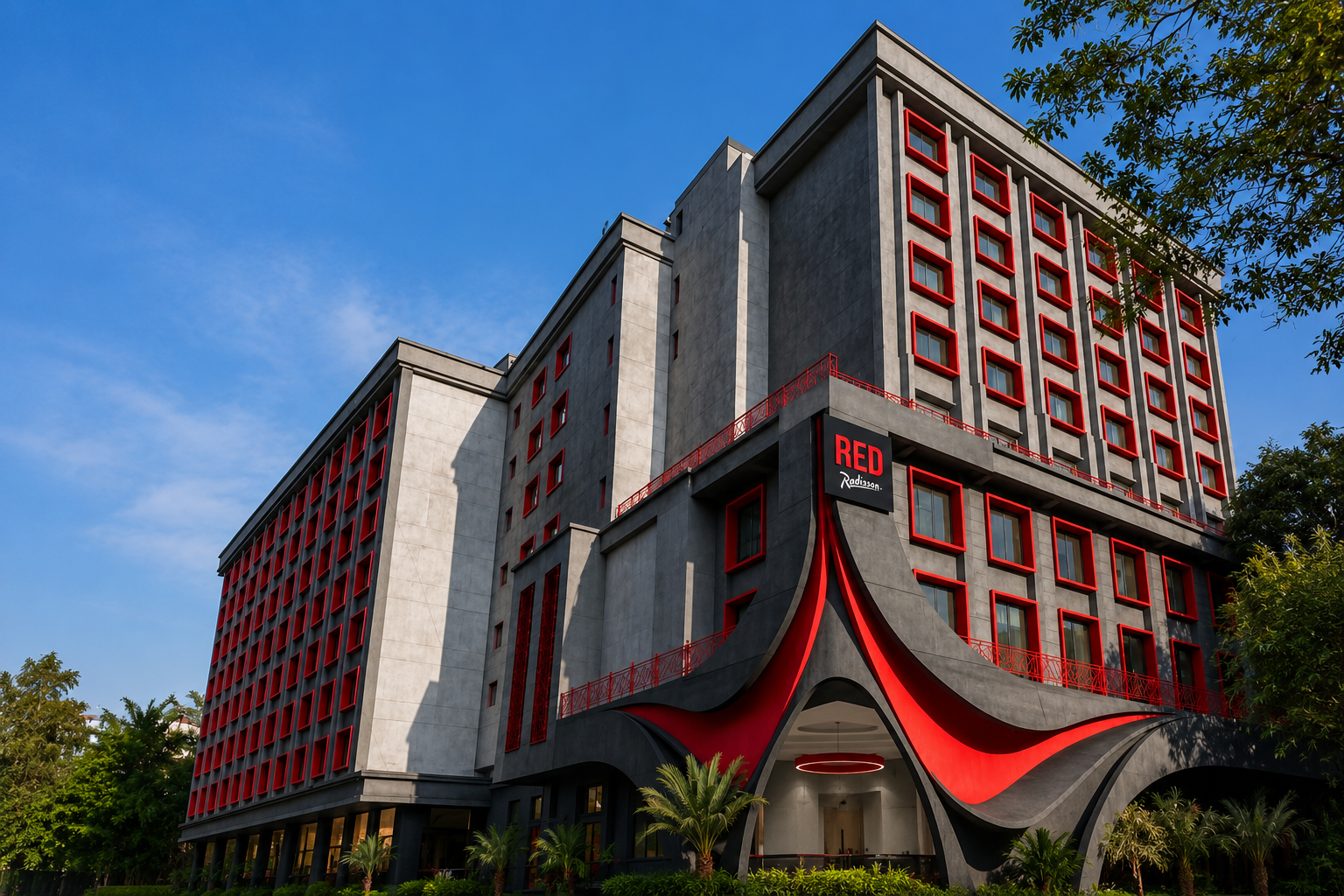
Radisson Hotel Group has inked an agreement to open Radisson RED Mumbai International Airport, a 208-room lifestyle hotel, by December 2026. It will be the group’s eighth hotel in the Mumbai Metropolitan Region (MMR) and the first for the Radisson RED brand in Mumbai.
The hotel will cater to business travelers, airline crews, transit passengers, and MICE demand by offering easy access to important business hubs such as Andheri MIDC, SEEPZ Mumbai, Bandra Kurla Complex (BKC), and the Jio World Convention Center. It is about four minutes from the Chhatrapati Shivaji Maharaj International Airport.
The hotel will be created by renovating and repositioning an existing facility under the Radisson RED brand. It will contain over 1,000 square meters of conference and event space, including a ballroom and banquet halls, as well as 208 bedrooms, an all-day dining restaurant, a bar, a deli, a fitness facility, and a swimming pool.
Nikhil Sharma, Radisson Hotel Group’s Managing Director and COO for South Asia, commented, “Mumbai is one of India’s most vibrant hospitality markets, and the signing of Radisson RED Mumbai International Airport validates our strategy of expanding in high-demand, high-growth areas. Because of its proximity to one of the country’s busiest airports and significant commercial hubs, the hotel is well-positioned to fulfill the evolving needs of business and leisure guests seeking design-led, lifestyle hospitality experiences. With eight hotels currently in our portfolio in the Mumbai Metropolitan Region, this arrangement marks a key milestone in our growth. We remain committed to increasing our presence in key gateway cities and creating enterprises that cater to the tastes of modern tourists.”
Davashish Srivastava, Vise President-Development, South Asia, Radisson Hotel Group, commented, “As we continue to develop our presence in India, we prioritize increasing our portfolio throughout key urban hubs. In a market where demand for business travel, meetings and events, and lifestyle hospitality is ever-changing, the addition of Radisson RED Mumbai International Airport strengthens our network. The hotel is a strong addition to our portfolio, demonstrating our commitment to launching the right brands in places with long-term growth potential.”
Ayon Bhattacharya, Chief Operating Officer of Lateral Hospitality Pvt Ltd, commented, “We are delighted to collaborate with Radisson Hotel Group on this historic development, bringing the Radisson RED brand to one of Mumbai’s most important commercial and hospitality catchments. Our goal is to create a hotel that meets the changing needs of today’s travelers by combining cutting-edge architecture, vibrant social areas, and exceptional service. With its ideal location near Mumbai International Airport and key commercial districts, we believe this hotel will be a popular choice for social events, business travelers, and transit guests alike.”
With a portfolio that includes premium, upscale, and lifestyle brands, the Radisson Hotel Group currently operates and develops over 200 hotels in India. In addition to tier II and tier III areas, the company continues to expand its presence in major cities.
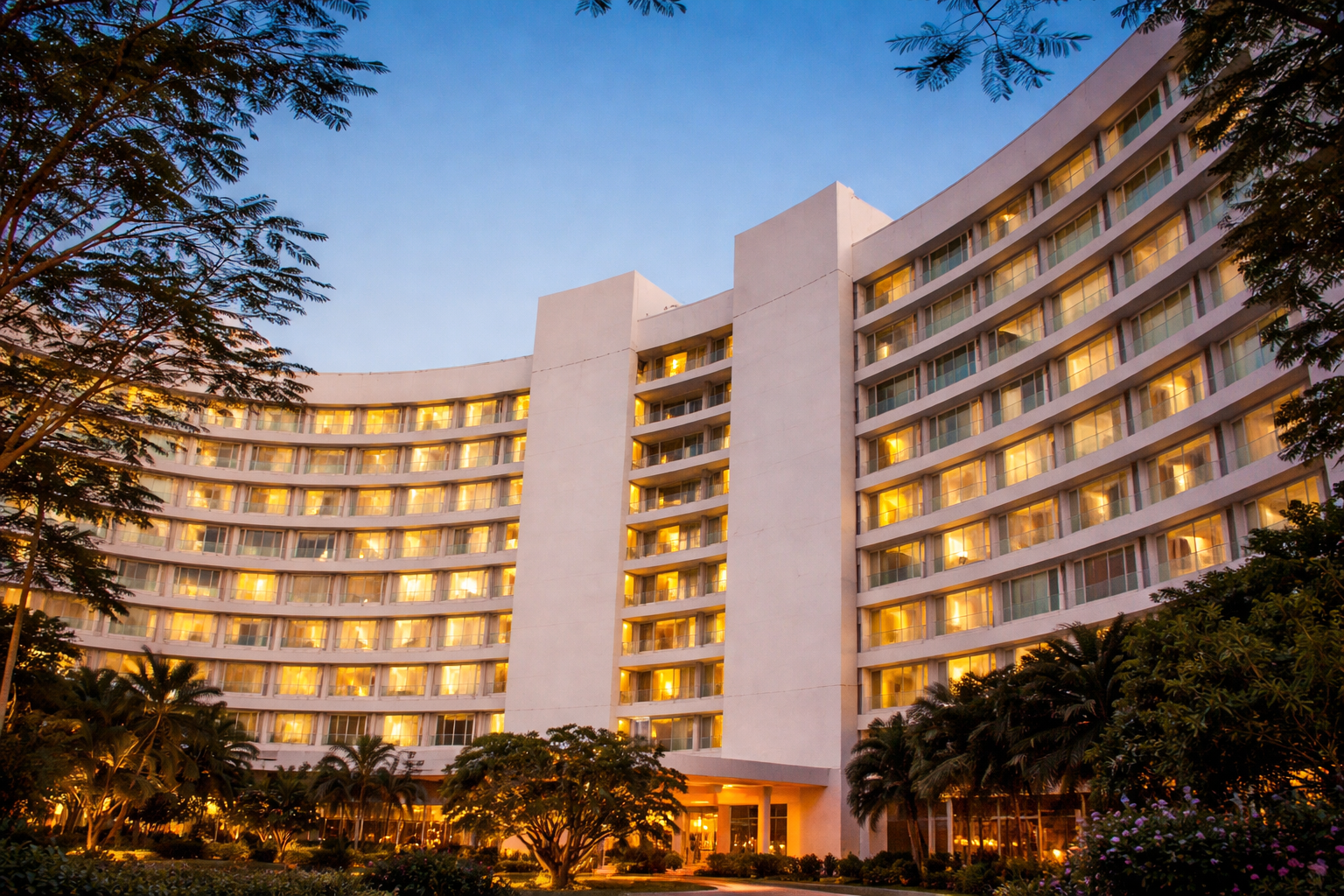
Chalet Hotels, which is owned by K Raheja Corp, is progressively choosing to operate more of its hotels through franchise agreements rather than management partnerships with hotel chains.
While the majority of its properties are now operated by international brands such as Marriott International and Accor, the Mumbai-based hotel developer plans to franchise new hotels such as the Taj Delhi Airport at Terminal 3 and Hyatt Airoli.
“We like the franchise model. We have taken the Taj that’s under construction in Delhi on a franchise model. The Hyatt Airoli that’s under construction will also be franchise,” Shwetank Singh, Managing Director and CEO of Chalet Hotels, told Business Today in an interview.
Chalet develops the facility under a management contract before handing it over to brands such as Marriott or Hilton when it is finished. These hotel chains manage the hotel’s revenue, expenditures, and total profit and loss. At the end of each month, they pass on the leftover profit to the owner after deducting their charge, which is often between 10-12% of overall sales, according to Singh.
with contrast, with a franchise model, the brand does not oversee day-to-day operations. Instead, it shares its name, distribution channels, and access to systems such as its website and reward programs. The owner maintains the hotel independently while paying a franchise fee, which normally ranges between 5-6%. The cost savings, however, are not substantial.
“One of the primary reasons owners favor this arrangement is that worldwide companies might have extremely rigorous standards. It is difficult to persuade them to adjust anything to suit the local environment,” Singh added, noting that their human resource costs are typically higher.
The Taj Delhi Airport, which will open in FY27, is the only Taj in the country that has been offered on a franchise basis, according to Singh. “It demonstrates IHCL’s confidence in Chalet’s capacity to operate it. This shows they trust us with the brand. Taj Delhi, which will cost Rs 500 crore, will feature around 380 rooms, he added.
Chalet Hotels’ portfolio includes 11 functioning hotels with 3,389 rooms. The company is currently constructing approximately 1,500 rooms. About 85% of its revenue comes from hotels, with the other 15% coming from commercial real estate, of which approximately 2.2 million square feet is operational and another 900,000 square feet is under development.
Building a leisure portfolio.
Singh, who became MD and CEO in February 2026, aims to generate 20% of sales from the leisure business, up from 13% today. “We have expanded our leisure hotel portfolio. Leisure offers higher average room rates but lesser profits due to the necessity for more people to operate larger properties,” Singh explained.
“Typically, margins in leisure are slightly smaller than huge boxes in cities. Some of our boxes, such as the JW Marriott Mumbai Sahar, the Westin Powai, the Mariott in Bengaluru, and the two Westin hotels in Hyderabad, have more than 450 rooms, and the unit economics on a larger box are always quite good. “For Chalet Hotels, being able to maintain, if not grow, margins would be an accomplishment,” he said.
The company has also purchased two sites in Goa and is conducting due diligence to build a hotel in Udaipur. “We are now expanding into leisure space and geographically expanding at the same time,” Singh said.
Prior to its listing in 2019, Chalet Hotels’ portfolio was mostly focused on business and lacked leisure offerings. The corporation entered commercial real estate to generate a consistent source of income. “The reason we got into commercial real estate is because we knew a steady income would keep us afloat in the difficult times,” Singh added.

A high-value home acquisition in Mumbai’s Worli neighborhood has once again highlighted the city’s luxury property market, highlighting the ongoing desire for centrally placed, infrastructure-linked neighbourhoods. The ₹29.70 crore purchase for a premium flat illustrates the endurance of Mumbai’s top-end property market and the ongoing appeal of Worli as a high-density urban hub.
The apartment, located in a luxury residential complex, has almost 2,400 square feet of carpeting and several parking spaces, both of which are crucial in land-constrained urban contexts. The purchase also included large transaction costs, such as stamp duty and registration fees, indicating a strong emphasis on formalisation and compliance in high-value real estate transactions. Worli has evolved as a hotspot in Mumbai’s luxury property market, thanks to its strategic location and urban infrastructure. Its proximity to vital commercial districts, combined with easy access via the Bandra-Worli Sea Link, has turned it into a popular residential area for high-income professionals, business leaders, and public personalities. Urban planners see that connectivity-driven expansion is increasingly influencing housing demand in India’s major cities.
The sustained popularity of Mumbai luxury housing reflects a larger structural shift in consumer behaviour. According to industry analysts, affluent purchasers prefer ready-to-move-in or near-completion residences in established neighborhoods with existing social infrastructure such as schools, hospitals, retail, and recreation facilities.
This decreases project risk as well as commute uncertainty, both of which were more prominent following the pandemic. At the same time, the concentration of high-end developments in Worli raises significant concerns about equitable urban expansion. Premium developments contribute to municipal income and formal housing supply, but they also accelerate land value growth, potentially exacerbating affordability gaps throughout the city. Urban economists say that balanced development policies are essential to guarantee that infrastructure investments benefit a broader range of citizens, not simply those with higher incomes. Environmental concerns are also becoming fundamental to talks over Mumbai’s real estate boom.
Coastal and reclaimed areas, such as Worli, are becoming more vulnerable to climate threats including sea-level rise and flooding. According to experts, future luxury home complexes must incorporate climate-resilient architecture, efficient water management systems, and energy-efficient building methods to meet long-term sustainability goals.Despite these concerns, the most recent purchase demonstrates trust in Mumbai luxury homes as a solid asset class. With institutional capital, increased regulatory control, and infrastructure upgrades continuing to alter the sector, premium micro-markets like Worli are expected to continue at the forefront of urban real estate activity.
Moving forward, the crucial test for city planners and developers will be to strike a balance between high-value investments and inclusive and climate-conscious urban development, ensuring that Mumbai’s skyline boom translates into greater civic and environmental resilience.

Mumbai Police Book 2 Goa Residents in ₹41 Lakh Real Estate Extortion Case

Chembur’s ₹142 Crore Deal

SCLR Phase-II

43,000 Homes Unsold in Navi Mumbai Amid Buyer Slowdown

Vijayta Raheja Applauds India’s ₹4 Lakh Crore Urban Vision at ET Maharashtra Business Summit

K Raheja & IHG Team Up to Elevate Powai’s Hospitality Landscape
-
 Real Estate News5 months ago
43,000 Homes Unsold in Navi Mumbai Amid Buyer Slowdown
-
 Real Estate News4 months ago
Vijayta Raheja Applauds India’s ₹4 Lakh Crore Urban Vision at ET Maharashtra Business Summit
-
 New Projects & Launches5 months ago
K Raheja & IHG Team Up to Elevate Powai’s Hospitality Landscape
-
 Real Estate News5 months ago
Mumbai’s Largest MHADA Redevelopment Drive Set to Transform 923 Acres
-
 Global Real Estate5 months ago
Spanish Youth Hostel Group Considers London Real Estate Deals
-

 NRI Real Estate5 months ago
Will NRI Investments Drive Mumbai Housing?
-

 Real Estate News5 months ago
John Abraham Firm Renews Bandra Rent at ₹12L/Month
-

 NRI Real Estate5 months ago
How NRIs Are Driving India’s Property Market?